
Menu bar app for developers · macOS 14+ · Apple Silicon
Your Mac, ready for the next prompt.
Arvlin is a menu bar app for developers who work with Claude Code, Codex and AI chats.
Quick Access
One shortcut. Five modes.
⌃⇧Space, the menu bar, or a click on the desktop raven. The raven takes the mode you pick, holds still when Reduce Motion is on, and hides from its menu whenever you like.
Library. Prompts and project context, one drag from any chat.
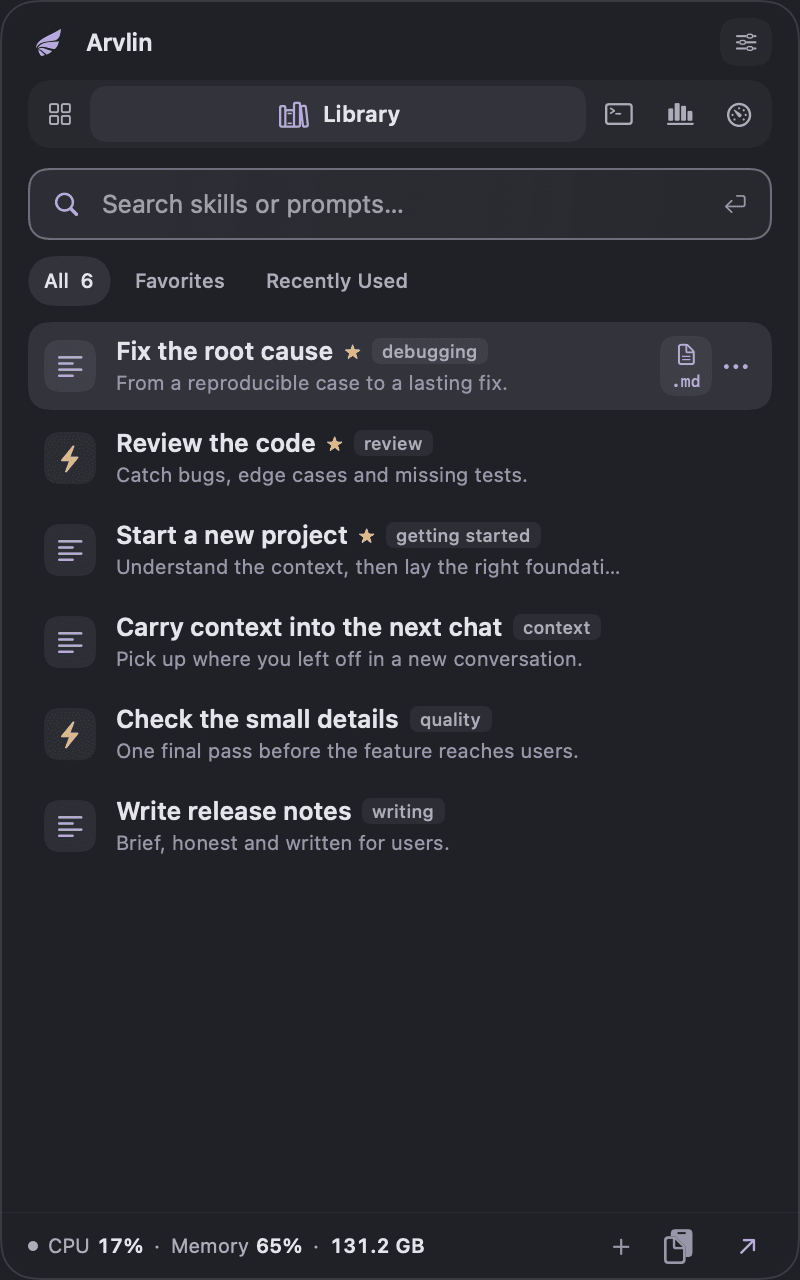

Real Quick Access, Library tab

01 · Library
Your best prompts, one drag from the chat.
Arvlin collects skills and prompts from the folders you choose. Find one, then copy it, drag it in as text, or drop it as a Markdown file.Arvlin collects skills and prompts from the folders you choose. Copy one, or drag it into any chat.
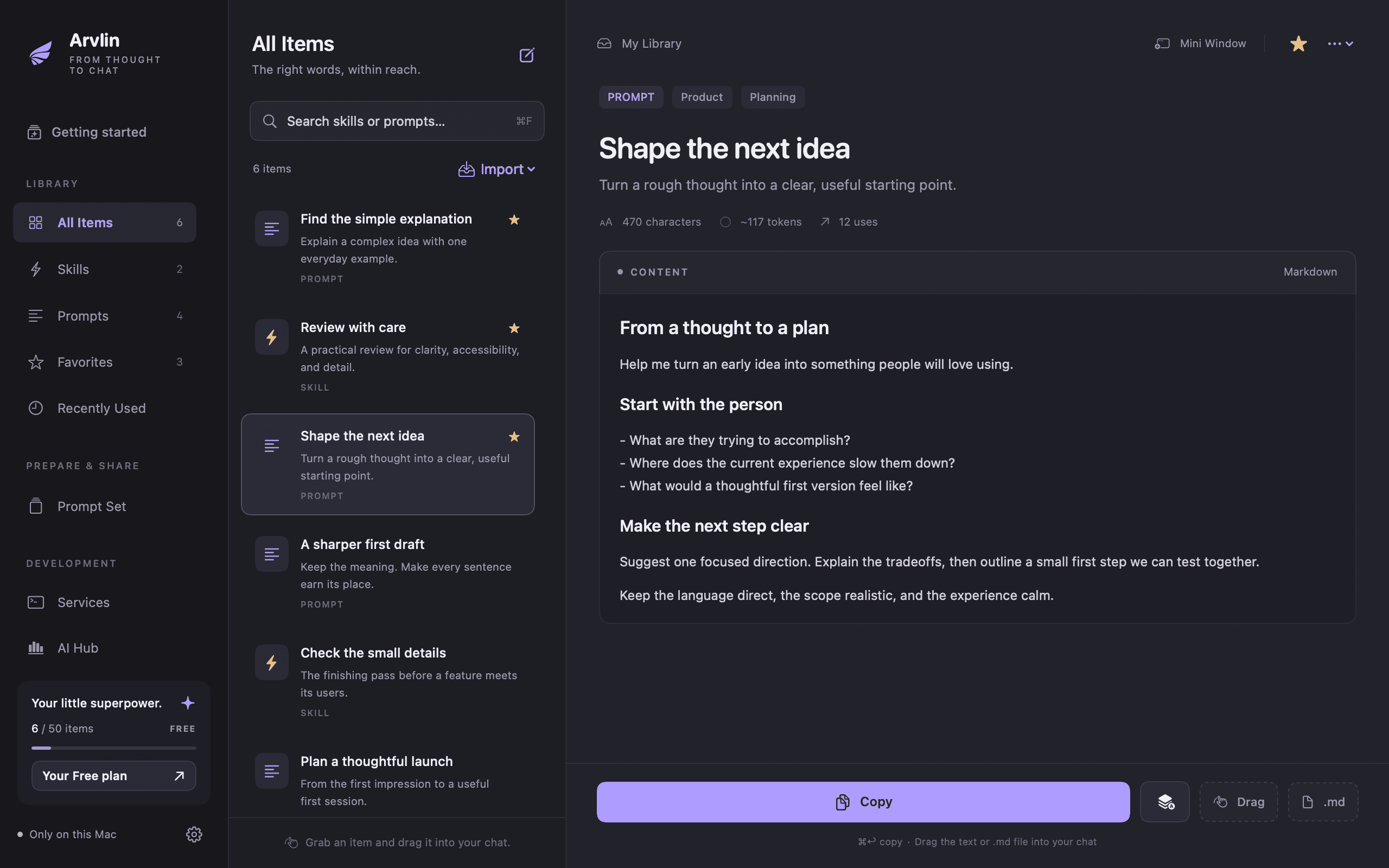
The library window is a real screenshot. The chat is an illustration: it is whichever AI app you already use, and whether a drop lands depends on the app.The chat is an illustration: it is whichever AI app you already use.
Search
Titles, tags and content; filter by favorites and recent use.
Import
SKILL.md packages and Markdown from folders you choose; they refresh on their own.
Placeholders
Prompts with placeholders ask for their values before they’re copied. Pro fills them in a form.
From past sessions
Save a prompt from a Claude Code or Codex session you already had; secrets are masked first.
Working sets · Projects
The project’s context in one message.
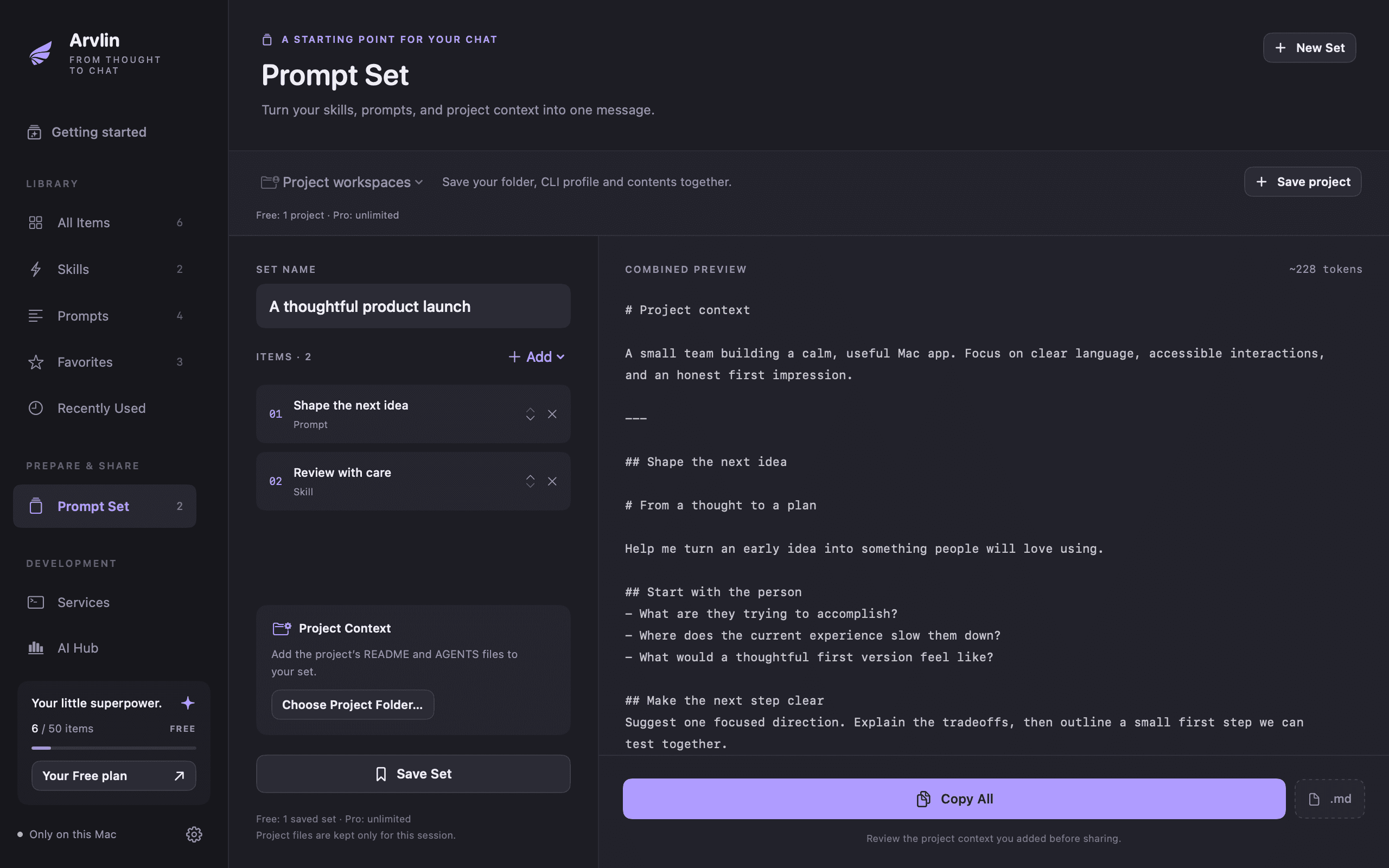
A working set joins prompts, skills and a project’s README.md and AGENTS.md into one ordered message. A saved project remembers the folder, the content and a Codex or Claude Code profile. Each profile keeps its own sign-in and settings, so two accounts never collide.A working set joins prompts, skills and a project’s README.md and AGENTS.md into one ordered message.

02 · Services
Which project is on :3000?
Every app and dev server listening on a port, with its project, process, CPU and memory. Copy the URL, open it, or stop a recognized dev service you own after you confirm.Every app and dev server listening on a port, with its project. Copy the URL or stop a recognized dev service you own after you confirm.

03 · AI usage · in AI Hub
What would this week cost on the API?
Arvlin reads the Claude Code and Codex logs you select and turns them into tokens, sessions and projects. For Claude models it estimates what the same usage would cost on the API.Arvlin reads the Claude Code and Codex logs you select. For Claude models it estimates what the same usage would cost on the API.
Claude API equivalent · last 7 days · sample data
An estimate, not a bill. Free shows today; Pro keeps 30 days.

04 · Maintenance
Nothing goes without your review.
Cleanup, uninstall, updates, startup items, system check and disk analysis in one window. You pick every item. Arvlin checks it again right before acting.
Cleanup, uninstall, updates, startup items, system check and disk analysis in one window. You pick every item.
found by one quick scan
system check tasks, diagnosed read-only first
to map a home folder
Measured on the developer’s Mac in September 2026. Your Mac will show its own numbers.
App, developer, AI and browser caches, and installers. Project outputs, git worktrees and simulators are reviewed separately and are never preselected; neither are project caches touched in the last 7 days.
Pricing
Buy once. No subscription.
Start free. Upgrade when it fits. Changing plans never deletes or locks what you already have.
Once, taxes at checkout. Everything unlimited, 30 days of history, cleanup in one run.
Two Macs, activates offline, 14-day refund. Payments are handled by Polar.
| Side by side | Free | Pro |
|---|---|---|
| Skills and prompts | 50 items | Unlimited |
| Source folders | 1 | Unlimited |
| Saved working sets | 1 | Unlimited |
| Saved projects | 1 | Unlimited |
| CLI profiles | 2 in total | Unlimited |
| Fill prompt variables in a form | No | Included |
| AI usage history | Today | 30 days |
| Service activity history | No | 30 days |
| Cleanup runs | 3 full runs, then 1 item per run | Unlimited |
| Cleanup history search | No | Included |
| Saved disk folders and comparison | No | Included |
FAQ
Straight answers.
One developer. A release most days.
38 releases since September 15, each signed and notarized, each with notes in 7 languages. Pro pays for the next ones. Problems and ideas: [email protected].
Read the changelogFree to start. $12 once for everything.
macOS 14 or later · Apple Silicon · Developer ID signed and notarized · 21.9 MB